ForgeLogbooks Blog
FitNotes vs. Paper Logbook: The Android Lifter's Dilemma
FitNotes is the best free workout app on Android — but free does not mean zero cost
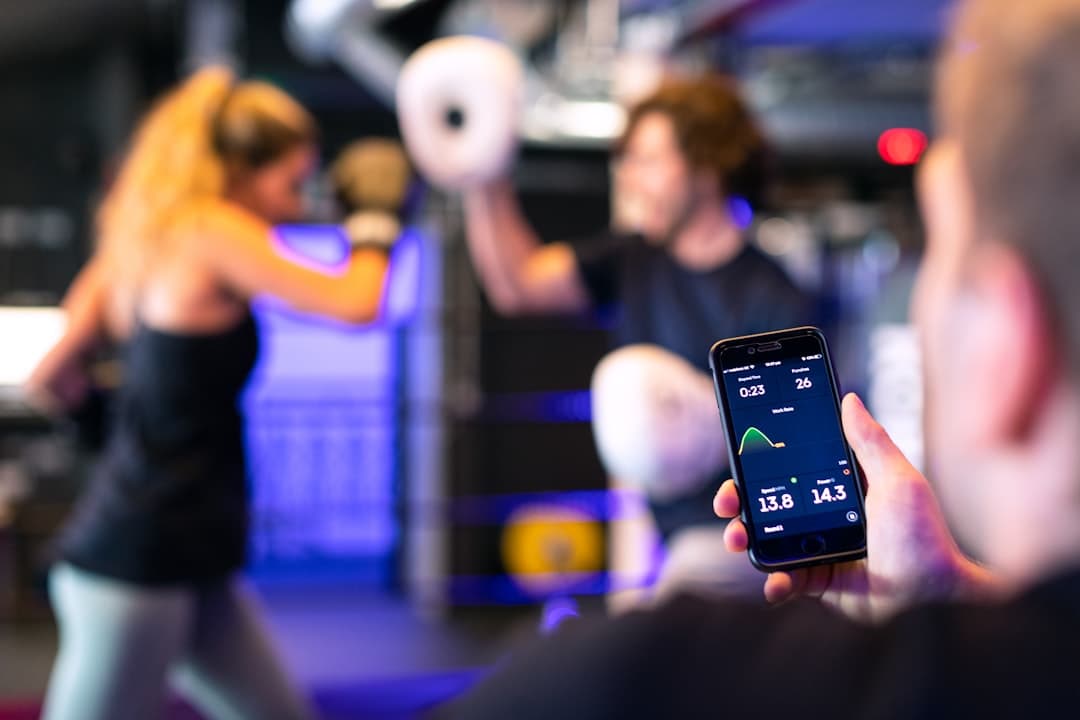
Why this matters
A comprehensive comparison of FitNotes, the free Android workout tracking app, versus a physical paper logbook. Covers FitNotes' strengths, limitations, the phone distraction problem, logging speed, data ownership, and who benefits most from each approach or a hybrid system.
FitNotes is free, clean, and genuinely good. But a paper logbook solves the one problem no app can: keeping your phone out of your hands between sets.
FitNotes subscription cost
$0/yr
FitNotes is completely free with no ads and no subscription. It is one of the only workout apps that costs nothing and asks for nothing.
Average phone pickups per day
96
The average smartphone user picks up their phone 96 times per day. Every pickup during a workout is a potential distraction that erodes session quality.
Time lost to phone distraction per session
9-15 min
Studies on phone use during exercise show that lifters who use phones for tracking lose an average of 9 to 15 minutes per session to unrelated screen time — texts, notifications, social media, and passive scrolling between sets.
What Makes FitNotes Special
What Makes FitNotes Special Among Workout Apps
FitNotes occupies a unique position in the workout app landscape because it violates every convention of modern app economics. It is completely free. There are no ads. There is no subscription. There is no premium tier, no paywall gating advanced features, and no upsell nudging you toward a monthly plan. The developer, James Gay, built FitNotes as a personal project and has maintained it for over a decade without monetizing it through any of the standard mechanisms that fund competing apps. In a market where Strong charges $9.99 per month, Hevy offers a freemium tier with aggressive upgrade prompts, and Fitbod locks core features behind a $12.99 monthly subscription, FitNotes asks for exactly zero dollars. That alone makes it the default recommendation in nearly every Reddit thread, fitness forum, and YouTube comment section when someone asks for a workout tracking app that will not drain their wallet. If you want a broad perspective on how every type of workout tracking tool compares, our ranked guide to every way to track workouts covers the full spectrum from apps to spreadsheets to paper.
Beyond the price tag, FitNotes earns its reputation through a clean, functional interface that prioritizes speed over spectacle. The app does not gamify your training. It does not send motivational push notifications. It does not try to build a social feed or convince you to share your PRs with a community. It is a logging tool that does logging well. The home screen shows your workout calendar, you tap a date to start a session, you add exercises, you enter sets with weight and reps, and you move on. The design language is utilitarian and fast — exactly what you want when you are standing over a barbell with chalk on your hands and ninety seconds of rest left on your timer. FitNotes respects the fact that you are in the middle of a workout, not browsing a lifestyle app, and that design philosophy is why its user base remains fiercely loyal even as flashier competitors enter the market every year.
FitNotes is Android-first and has been for its entire existence. While a beta iOS version has been in development, the app's core audience is Android users, which matters more than it might seem. The Android fitness app market is thinner than iOS when it comes to well-designed, genuinely free options. Apple users have a wider selection of polished workout trackers, many of which integrate with Apple Watch and the Health app ecosystem. Android users have historically been underserved, which is part of why FitNotes developed such a passionate following — it filled a gap that no other app addressed as cleanly. If you are an Android user looking for a no-cost workout tracker, FitNotes is not just the best free option. For years, it has been effectively the only serious free option that does not compromise the experience with ads or feature gates.
Truly free, no strings attached
FitNotes charges nothing, shows no ads, and has no premium tier. It is funded by its developer as a passion project, not a business model.
Android-first design
Built specifically for Android, FitNotes fills a gap in a market where most polished fitness apps target iOS first and treat Android as an afterthought.
FitNotes Strengths
FitNotes' Core Strengths: What It Does Better Than Most Paid Apps
The feature that FitNotes users cite most frequently is logging speed. Adding a set takes two taps and two number entries — exercise, weight, reps, done. The app remembers your previous session's weights and reps for each exercise and pre-fills them as defaults, so on most working sets you are confirming rather than entering data from scratch. This matters enormously during a real training session because every second spent fiddling with an app is a second you are not resting, not visualizing your next set, and not maintaining the mental focus that separates productive sessions from going-through-the-motions sessions. FitNotes gets out of your way faster than almost any competing app, and for a tool you interact with twenty to forty times per workout, that speed advantage compounds into a meaningfully better in-session experience. The app also includes a built-in rest timer that starts automatically when you complete a set, eliminating the need to switch to a separate timer app or glance at a wall clock.
Exercise history is another area where FitNotes delivers genuine value. You can pull up any exercise and see every session where you performed it, with dates, weights, reps, and estimated one-rep maxes calculated automatically. This historical view is clean, sortable, and fast to access — you do not need to scroll through weeks of calendar entries to find your last bench press session. The app also charts your progress over time for each exercise, giving you a visual representation of whether you are progressing, plateauing, or regressing. For lifters who want a quick answer to the question of what they lifted last time and whether they are moving forward, FitNotes provides that answer faster than flipping through a logbook's pages. Body weight tracking is built in as well, with its own dedicated chart, which is useful for lifters managing weight classes or tracking body composition changes alongside their training.
Data backup and export may be the single most underappreciated feature in FitNotes, and it is the feature that most directly intersects with the logbook conversation. FitNotes lets you export your entire training history as a CSV file — a plain-text spreadsheet format that can be opened in Excel, Google Sheets, or any data analysis tool. This means your data is genuinely portable. If you stop using FitNotes, your training history comes with you. If you want to analyze trends in a spreadsheet, you can. If you want to share your training log with a coach, you can email them a CSV rather than handing them your phone. This is remarkably rare among workout apps. Most competitors lock your data inside their ecosystem — cancel your subscription to Strong or Hevy, and accessing your historical data becomes difficult or impossible. FitNotes treats your training data as yours, not as leverage to keep you subscribed. For a detailed comparison of how other apps handle data portability, our analysis of Hevy versus a paper logbook covers the data ownership question in depth.
Two-tap set logging
FitNotes pre-fills previous session data and requires minimal input per set, making in-session logging faster than most paid competitors.
Full CSV export
Export your entire training history as a portable CSV file. Your data stays yours even if you leave the app — a feature most paid apps do not offer.
FitNotes Limitations
Where FitNotes Falls Short: The Gaps That Matter
FitNotes is Android only, and for a significant percentage of the lifting population, that is a dealbreaker before the conversation even starts. If you train with an iPhone, FitNotes is not available to you in any stable, fully featured form. If you train with a mixed household or coaching setup where some people use Android and others use iOS, FitNotes cannot serve as a shared platform. This is not a flaw in the app's quality — it is a consequence of being a one-developer passion project rather than a venture-backed company with cross-platform development resources. But the practical impact is real: FitNotes is invisible to roughly half the smartphone market, and any recommendation of the app comes with the immediate caveat that it only works if your phone runs Android. For lifters who switch between phone ecosystems, or who want their training data accessible from any device, this is a genuine limitation that no amount of feature excellence can overcome.
Coach sharing is another gap that becomes significant as a lifter's training matures. FitNotes has no built-in mechanism for sharing your training log with a coach, training partner, or accountability group. You can export a CSV and email it, which is better than nothing, but there is no real-time dashboard, no shared view, no commenting system, and no way for a coach to annotate your sessions or leave feedback within the app. For self-coached lifters this does not matter. For anyone paying for online coaching — a rapidly growing segment of the strength training population — the inability to share training data seamlessly within the app creates friction. Most online coaches have settled on specific apps or spreadsheet workflows, and FitNotes does not integrate into those ecosystems. Our analysis of paper logbooks versus Strong and JEFIT covers how different tools handle the coach-sharing problem, and FitNotes falls into the same category as paper: it tracks well but does not collaborate natively.
The absence of built-in programs is the limitation that matters most for intermediate and advanced lifters. FitNotes does not include templates for 5/3/1, Starting Strength, GZCLP, Juggernaut Method, or any other structured program. It does not calculate training maxes, auto-regulate based on RPE, or suggest progression schemes. This is by design — FitNotes is a logging tool, not a programming tool — but it means that lifters following structured programs must do all of the programming math themselves, whether that means calculating percentages, managing set and rep schemes across a training block, or remembering which week of which cycle they are in. Apps like Strong and Hevy offer program templates that automate some of this work, and while those templates are imperfect, they reduce the cognitive overhead of following a complex periodization scheme. FitNotes gives you a blank canvas, which is powerful if you know what to paint but frustrating if you want guidance.
Qualitative data capture is the final limitation worth addressing because it is the area where paper logbooks hold the most decisive advantage over every app, including FitNotes. The app captures weight, reps, and time. It does not capture how a rep felt, whether your bar path drifted on the third set, whether your left knee tracked inward during your heaviest squat, or whether the session felt heavy because you slept poorly or because the weight was genuinely challenging. FitNotes has a notes field, but typing qualitative observations on a phone keyboard between sets is slow, awkward, and rarely detailed enough to be useful in retrospect. The result is that FitNotes logs contain the quantitative skeleton of your training but miss the qualitative context that drives the best programming decisions. A logbook captures both, because writing with a pen is faster and more natural for free-form observations than typing on a phone screen.
- Android only — no stable iOS version, invisible to roughly half the smartphone market.
- No coach sharing — export to CSV is the only way to share data, with no real-time collaboration.
- No built-in programs — no templates for 5/3/1, GZCLP, or any structured periodization model.
- No RPE or autoregulation fields — perceived effort must be entered as a manual note rather than a structured data point.
- Limited qualitative notes — typing observations on a phone keyboard between sets produces thin, rarely useful data.
The Phone Problem
The Best Free App Still Has the Phone Problem
FitNotes is arguably the best free workout tracking app available on any platform. It is fast, clean, respectful of your data, and costs nothing. And none of that changes the fact that using it requires you to hold your phone between every set. This is the fundamental tension at the heart of every app-versus-logbook comparison, and FitNotes is not exempt simply because it is free and well-designed. The phone problem is not about the app. The phone problem is about the device the app lives on, and every app shares this vulnerability regardless of how elegantly it is built. Your phone contains your text messages, your social media feeds, your email inbox, your news alerts, and every other attention-capturing mechanism that the most sophisticated technology companies in history have engineered to keep you engaged. FitNotes does not send you to Instagram between sets — but your phone does, and the phone is in your hand because FitNotes put it there.
Research on phone use and exercise performance paints a consistent picture. A 2019 study published in the journal Computers in Human Behavior found that phone use during exercise reduced workout intensity and increased rest periods by a statistically significant margin compared to phone-free exercise conditions. Participants who used their phones between sets spent more total time resting, performed fewer total sets in the same time window, and self-reported lower workout satisfaction. The mechanism is straightforward: unlocking your phone to log a set exposes you to notifications, and each notification creates a micro-decision about whether to engage with it. Even if you choose not to engage, the cognitive cost of making that decision pulls attention away from your training. Multiply that micro-decision by twenty to forty sets per workout and the cumulative attention tax is substantial, even for disciplined users who rarely give in to the pull. If you want a deep dive into how phone-free training affects performance, our article on phone-free workouts with a logbook covers the research and practical implementation in detail.
The counterargument is that disciplined lifters can use their phone for logging without getting distracted. This is true for some people, some of the time. But discipline is a finite resource that depletes over the course of a training session, particularly during demanding workouts. You are most disciplined at the beginning of a session and least disciplined during the final third, which is precisely when training quality matters most — the last few sets of a session are where progressive overload actually happens, and those are the sets most likely to be undermined by a mid-set notification check. The question is not whether you can resist your phone's pull during a workout. The question is whether you should have to. A paper logbook eliminates the decision entirely. There are no notifications on a notebook. There is no temptation to scroll. There is ink, paper, and the set in front of you. FitNotes is the best free tool for logging workouts on your phone. A logbook is the best tool for logging workouts without your phone. Those are different problems, and the tool you choose depends on which problem you are solving.
Logging Speed
Head-to-Head Logging Speed: FitNotes vs. Pen and Paper
Logging speed is the most common argument in favor of apps over paper, and FitNotes makes this argument better than most because its interface is genuinely fast. In a controlled comparison, logging a single working set in FitNotes — assuming the exercise is already selected and previous data is pre-filled — takes approximately four to six seconds: confirm the weight, confirm or adjust the reps, tap to complete the set. That is fast. A paper logbook requires writing the weight and reps by hand, which takes approximately three to five seconds for a single set entry if you are using a well-designed template with pre-labeled columns. On a per-set basis, the speed difference is negligible — both tools take under ten seconds per set entry when the workflow is established and familiar.
The speed comparison shifts in favor of the logbook when you account for setup overhead and context switching. Opening FitNotes at the start of a session requires unlocking your phone, opening the app, selecting or creating the workout, and adding the first exercise. This takes fifteen to thirty seconds. Opening a logbook requires flipping to today's page, which takes two to three seconds. During the session, switching between exercises in FitNotes requires tapping the add-exercise button, searching for or scrolling to the exercise, and selecting it — another five to ten seconds per transition. In a logbook, you write the exercise name on the next line, which takes two seconds. Over the course of a session with six to eight exercises and twenty to thirty working sets, the cumulative setup and transition overhead in FitNotes adds up to roughly two to four minutes more than a logbook. The per-set logging is comparable, but the surrounding workflow is faster on paper because paper has no load times, no search functions, and no multi-step navigation.
Where FitNotes wins unambiguously on speed is in historical lookups. If you want to know what you squatted three weeks ago, FitNotes retrieves that data in two taps. A logbook requires you to flip back through pages, find the right date, and scan for the exercise — a process that takes fifteen to thirty seconds and depends on how well you have organized your entries. For lifters who reference previous sessions frequently during their current workout, this retrieval speed is a legitimate advantage. However, most experienced lifters who follow structured programs already know their working weights because the program dictates them. The need to look up previous session data mid-workout is most acute for lifters who do not follow a program and are making session-by-session decisions about what to lift — which, as discussed above, is exactly the population that FitNotes serves best. If your program tells you to squat 315 for five sets of three today, you do not need to look up what you did last week. You need to record what you do today. And for that task, pen and paper is at least as fast as FitNotes.
Per-set logging: roughly equal
Both FitNotes and a well-designed logbook template log a single working set in under ten seconds. The per-set speed difference is negligible.
Session overhead: logbook wins
Setup, exercise transitions, and app navigation add two to four minutes of total overhead per session in FitNotes compared to flipping a page in a logbook.
Who FitNotes Is For
Who FitNotes Is Perfect For
FitNotes is the ideal tool for budget-conscious Android users who want a clean, reliable workout tracker without paying a monthly subscription. If you are a college student, a lifter on a tight budget, or someone who simply objects on principle to paying a recurring fee for a tool that records numbers in a list, FitNotes is built for you. The zero-dollar price point is not a compromise — FitNotes is genuinely good software that competes with paid alternatives on features and usability. The only cost is the phone distraction risk, which is a real cost but one that many lifters are willing to accept, particularly if they are already disciplined about phone use or if they train with their phone on do-not-disturb mode. For this audience, FitNotes is not a second-best option. It is the best option, full stop, within the constraints of app-based tracking.
Casual lifters who train three to four times per week without following a rigid program are another population that FitNotes serves exceptionally well. If your training consists of showing up, picking exercises based on what equipment is available and what you feel like doing, performing three to four sets per exercise, and gradually increasing weight over time, FitNotes captures everything you need and nothing you do not. You do not need periodization support because you are not periodizing. You do not need coach sharing because you do not have a coach. You do not need qualitative notes because your training decisions are intuitive rather than data-driven. FitNotes logs your exercises, weights, reps, and body weight. For casual lifters, that is the complete picture. The app does not overcomplicate things, does not try to sell you features you do not need, and does not make you feel like you are using an incomplete product because you are not paying for a premium tier.
Lifters who are exploring strength training and are not yet sure whether they want to commit to a structured approach also benefit from FitNotes as an entry point. The app is zero-risk — there is no trial period to manage, no credit card to enter, and no subscription to remember to cancel. You download it, start logging, and if you stop training for three months and come back, the app is still there with your data intact. This low-friction onramp is genuinely valuable for people who are building a training habit and do not want the pressure of having paid for a tool that guilts them into using it. FitNotes meets you where you are and does not judge you for where you are not. For the exploring lifter, that is exactly the right energy, and it is one of the few contexts where a free app is definitively better than a purchased logbook — because a logbook you bought and never opened feels like a failed commitment, while an app you downloaded and never opened is invisible.
Who Outgrows FitNotes
Who Outgrows FitNotes: When the App Stops Being Enough
The lifter who outgrows FitNotes first is the one who starts following a structured program and discovers that the app offers no support for it. You decide to run 5/3/1, and immediately you need to calculate training maxes, derive percentages, track AMRAP performance, manage supplemental volume across four days, and plan deload weeks. FitNotes does none of this. You are left entering exercises and sets manually while doing all the programming math in your head or on a separate spreadsheet. The app becomes a data entry terminal rather than a training partner, and the question of whether you are progressing within the program structure becomes harder to answer because FitNotes does not understand program structure. At this point, you are maintaining two systems — FitNotes for logging and a spreadsheet or notebook for programming — and the redundancy is a signal that you have outgrown the single-tool approach. Our comprehensive guide to workout log apps versus paper journals in 2026 explores exactly where this breakpoint occurs across different training tools.
Competitive athletes outgrow FitNotes for different reasons. If you are preparing for a powerlifting meet, a strongman competition, a CrossFit event, or an Olympic weightlifting meet, your training data requirements expand well beyond what FitNotes can capture. Meet prep involves tracking attempt selections, competition lifts at specific percentages, openers and second and third attempts, equipment choices, weigh-in data, and the dozens of qualitative observations that inform competition-day decisions. FitNotes captures the sets and reps but misses everything else, and the everything else is what separates a good meet performance from a wasted entry fee. Competitive athletes need a tracking tool that accommodates the full complexity of their preparation, and a custom logbook designed for their sport does this far more effectively than a general-purpose logging app.
Lifters who want deeper analysis also outgrow FitNotes despite its CSV export capability. While the export feature is excellent for data portability, FitNotes' in-app analysis is limited to per-exercise progress charts and basic history views. It does not calculate weekly volume across muscle groups, does not track tonnage trends across mesocycles, does not identify movement pattern imbalances, and does not provide the kind of bird's-eye training overview that supports intelligent programming decisions. A lifter who wants to analyze their training at a level beyond session-by-session performance needs to export the CSV and do the analysis in a spreadsheet, at which point FitNotes is just a data collection front end. A logbook combined with a periodic review process — weekly summaries, block reviews, and annual retrospectives — provides this analytical depth directly because the review process is built into the physical workflow. You write, you review, you adjust. The analysis happens in the same medium as the logging, which creates a tighter feedback loop than exporting a CSV to a spreadsheet you open once a month.
- Program followers: FitNotes does not support structured periodization, training max calculations, or percentage-based programming.
- Competitive athletes: Meet prep, attempt selection, and sport-specific data points do not fit FitNotes' logging model.
- Data-driven lifters: In-app analysis is limited to per-exercise charts. Deeper analysis requires CSV export and external tools.
- Coached athletes: No coach sharing, no real-time log access, and no annotation or feedback mechanism within the app.
- Multi-platform users: Android-only access means your data is locked to one device ecosystem.
CSV Export Advantage
The CSV Export Advantage: FitNotes Lets You Own Your Data
FitNotes deserves genuine credit for its CSV export feature because data portability is the single most important ethical standard in fitness app design, and most apps fail it completely. When you export your training history from FitNotes, you get a plain-text file that any spreadsheet application can open. Every exercise, every set, every weight, every rep, every date — all of it, in a format that does not require FitNotes to read. This is not a locked backup file that only works if you reimport it into the same app. It is your data in its rawest, most portable form. You can open it in Excel. You can analyze it in Google Sheets. You can import it into a different app. You can build pivot tables and charts that answer questions FitNotes' in-app analytics cannot. Data ownership matters because your training history represents years of effort, and no app developer has the right to hold that history hostage behind a subscription or a proprietary file format.
The practical value of CSV export becomes most apparent when you transition to a different tracking method. Lifters who move from FitNotes to a paper logbook can print their CSV data and use it as a reference for setting baselines in their new system. Lifters who move from FitNotes to a different app can often import the CSV directly. Lifters who stop using any tracking tool can archive the CSV as a permanent record of their training history. Compare this to the experience of leaving most paid workout apps: cancel your Strong subscription and your data becomes inaccessible behind the paywall. Cancel Hevy Pro and your historical exports disappear. Cancel Fitbod and your workout history stays locked in an app you can no longer fully use. FitNotes' approach — give the user all of their data in an open format, for free, at any time — should be the industry standard. The fact that it is the exception rather than the rule tells you everything about how most fitness app companies view their relationship with your data.
For lifters considering a move from FitNotes to a logbook, the CSV export creates a uniquely smooth transition path. Export your FitNotes data, review your recent training history, identify your current working weights and rep ranges for every exercise, and use that data to set up your logbook's first pages with accurate baselines. You are not starting from scratch — you are carrying your digital history into a physical format. This is the best-case scenario for an app-to-logbook transition because you retain the quantitative foundation that FitNotes built while gaining the qualitative depth and distraction-free environment that a logbook provides. No other free app makes this transition as clean as FitNotes does, and that is worth acknowledging even in an article that ultimately argues for the superiority of paper in certain contexts.
Hybrid Approach
The FitNotes Plus Logbook Hybrid: Getting the Best of Both
The most sophisticated tracking approach for Android lifters is not FitNotes or a logbook — it is FitNotes and a logbook, used together with clear boundaries around what each tool handles. The hybrid model assigns quantitative logging to FitNotes and qualitative logging plus programming decisions to the logbook. During your session, your logbook sits on the bench next to you. You write your exercise name, your planned sets and reps based on your program, and any pre-session notes about how you feel, what you want to focus on, or what technical cues you are working on. You perform your sets and write your actual weights and reps by hand. After the session, you spend two minutes entering the quantitative data from your logbook into FitNotes to maintain your digital history. This gives you the distraction-free in-session experience of paper with the long-term data analysis capability of a digital database.
The post-session data entry step sounds like extra work, and it is — roughly two to four minutes of additional effort per session. But the quality tradeoff is worth examining. During the session, your phone stays in your gym bag. You do not touch it between sets. You do not see notifications. You do not make micro-decisions about whether to respond to a text or check a score. Your attention stays on your training for the full duration of the session. After the session, you enter your data into FitNotes in a low-stakes environment — sitting in your car, at home, or wherever you do your post-workout cooldown. The data entry is mechanical and takes less time than you think because you are copying from your logbook rather than trying to remember what you did. The result is a training log that has the tactile richness and qualitative depth of handwritten notes plus the searchability, portability, and analytical power of a digital database. You lose nothing. You gain the two advantages that matter most: phone-free training and long-term data analysis.
The hybrid approach also solves the backup problem that paper logbooks face. Physical logbooks can be lost, damaged, or destroyed. FitNotes data can be backed up to Google Drive, exported to CSV, and stored in multiple locations. Running both systems means your quantitative training history has redundant backups — the logbook sits on your shelf and the digital copy lives in the cloud. If your gym bag gets stolen with your logbook inside, your training history survives in FitNotes. If FitNotes ceases to exist — a real risk for any app maintained by a single developer — your logbook sits on your shelf with every session recorded in permanent ink. Redundancy is not paranoia when you are talking about years of training data. It is basic data hygiene. Design your custom logbook at /forge and pair it with FitNotes for the most resilient tracking system available to an Android lifter.
Logbook in-session, FitNotes post-session
Use the logbook during training for distraction-free logging and qualitative notes. Enter quantitative data into FitNotes afterward for digital backup and long-term analysis.
Redundant backups
Physical logbook plus cloud-backed FitNotes data means your training history survives device failures, app shutdowns, and lost gym bags.
Free Argument
Why the Free Argument Falls Apart When You Factor In Distraction Costs
The strongest case for FitNotes over a paper logbook is that FitNotes is free and a logbook costs money. A custom ForgeLogbook is a one-time purchase, not a subscription, but it is not zero dollars. For lifters who evaluate tools purely on sticker price, FitNotes wins this comparison before it starts. But sticker price is a misleading metric when the free tool carries hidden costs that the paid tool does not. The hidden cost of FitNotes is not a feature you are missing — FitNotes is genuinely feature-complete for basic workout tracking. The hidden cost is the phone in your hand. Every workout where you pull your phone out between sets is a workout where you pay an attention tax. That tax is invisible on any invoice, but it is real in your training outcomes.
Consider the math. If phone distraction costs you ten minutes per workout — a conservative estimate based on the research — and you train four times per week, that is forty minutes per week of lost training focus. Over a year, that is approximately thirty-five hours of compromised training time. Those thirty-five hours are not zero-quality hours — you are still in the gym, still lifting — but they are diminished hours where rest periods stretch longer than intended, where mental rehearsal of the next set is replaced by scrolling, and where the psychological intensity that drives genuine adaptation is diluted by digital noise. A paper logbook eliminates those thirty-five hours of attention leakage. The question is not whether a logbook costs more than FitNotes. The question is whether thirty-five hours of focused training per year is worth the one-time cost of a printed notebook. For anyone who is serious about their training, the answer is obvious.
The free argument also assumes that FitNotes will remain free forever, which is an assumption that rests on the continued goodwill and financial stability of a single developer. FitNotes has been free for over a decade, which is remarkable and admirable, but it is not a guarantee. Developers get tired. Life circumstances change. Server costs increase. The app could introduce a subscription model, get acquired by a company that monetizes it differently, or simply stop being maintained. When your training data lives exclusively in an app maintained by one person, you are accepting a dependency risk that a logbook does not carry. A paper logbook does not need server infrastructure, does not require software updates, does not depend on a single developer's continued interest, and does not stop working when your phone breaks. The logbook's cost is its entire cost — there are no hidden dependencies, no ongoing risks, and no scenario where your access to your own training data is contingent on someone else's decisions. Build your logbook at /forge and own your training data in the most durable format available.
Making Your Decision
Making Your Decision: FitNotes, Logbook, or Both
If you are a casual Android lifter who trains three to four times per week without a structured program, who is on a tight budget, and who is genuinely disciplined about phone use during workouts, FitNotes is the right tool for you. It does everything you need, costs nothing, and respects your data. Do not let anyone tell you that you need a paper logbook if your current system works and your training is progressing. The best tracking tool is the one you actually use consistently, and if FitNotes is that tool, it is the right answer for your situation. Download it, log your sessions, export your CSV periodically as a backup, and train hard.
If you are a lifter who follows structured programs, competes in strength sports, trains with a coach, or has noticed that your phone undermines your training focus, a paper logbook is the better primary tool. The upfront cost is real but one-time, the distraction elimination is immediate and permanent, and the qualitative depth of handwritten notes supports better programming decisions than any app's structured data fields. A ForgeLogbook designed for your specific program and training style at /forge gives you a tool that fits your workflow rather than forcing your workflow to fit a generic app interface. You do not lose FitNotes by choosing a logbook — you can run the hybrid approach and keep the digital backup — but the logbook becomes the primary tool you interact with during training.
If you are somewhere in between — transitioning from casual to structured training, exploring different programs, or simply curious about whether phone-free training would improve your sessions — try a four-week experiment. Train with a paper logbook for one month while keeping FitNotes as your post-session backup. At the end of the month, compare the quality of your sessions, the quality of your training notes, and the quality of your focus during the logbook month versus a typical app-only month. Most lifters who run this experiment do not go back to app-only tracking, not because paper is objectively better in every way, but because the experience of training without a phone in your hand is qualitatively different — and once you feel that difference, the convenience advantages of app-based logging stop mattering as much as the focus advantage of paper.
Final Verdict
The Verdict: FitNotes Is the Best Free App That Still Cannot Replace Paper
FitNotes is an exceptional piece of software. It is free, fast, clean, respectful of your data, and better than most paid alternatives for basic workout tracking. If a free Android workout app is what you need, FitNotes is the definitive answer. No hedging, no caveats, no asterisks. Within the category of free workout tracking apps, FitNotes wins. But the category of free workout tracking apps is not the only category that matters. When you expand the comparison to include every workout tracking tool available — apps, spreadsheets, notebooks, and custom logbooks — FitNotes occupies a specific niche rather than a dominant position. It is the best tool for digital logging on Android at zero cost. A paper logbook is the best tool for distraction-free logging at any cost. Those are different competitions, and declaring an overall winner requires knowing which competition you are entering.
The honest recommendation is not FitNotes or logbook. It is FitNotes and logbook for anyone who wants the best of both tools, or logbook alone for anyone who values training focus over digital convenience. FitNotes' CSV export makes it the ideal digital companion to a paper logbook because it adds searchability, cloud backup, and long-term analytics without requiring you to use it during training. The combination costs the price of a single logbook — since FitNotes is free — and delivers a tracking system that is more comprehensive, more durable, and more distraction-proof than either tool alone. Whatever you choose, the fact that you are thinking about how you track your training means you are thinking about your training more seriously than most people in any gym. That seriousness is what drives results, and both FitNotes and a ForgeLogbook are worthy tools for a serious lifter.
Action checklist
Deploy it this week
Run a one-month phone-free logbook trial
Train for four weeks using only a paper logbook during sessions. Enter data into FitNotes post-session as a backup. Compare focus, session quality, and note depth to your previous app-only months.
Export your FitNotes CSV before making any transition
Before switching to a logbook or hybrid system, export your full FitNotes training history as a CSV file. Store it in Google Drive or another cloud service as an archive of your digital training data.
Set up your logbook with FitNotes baseline data
Use your FitNotes exercise history to identify current working weights and rep ranges for every exercise. Write these baselines on the first page of your logbook so you start with accurate data rather than guessing.
Enable do-not-disturb for post-session data entry
If you use the hybrid approach, keep your phone on do-not-disturb during the workout and only open FitNotes after the session ends. This preserves the phone-free benefit while maintaining the digital backup.
Remember
3 takeaways to screenshot
- ⚡FitNotes is the best free workout tracking app on Android — genuinely free, no ads, fast logging, and full CSV data export — but using it still requires holding your phone between sets, which introduces distraction costs that no app design can eliminate.
- ⚡The FitNotes plus logbook hybrid approach gives you phone-free training focus during sessions and digital data backup afterward, combining the core advantages of both tools for a total cost of one logbook since FitNotes is free.
- ⚡FitNotes is ideal for budget-conscious casual lifters on Android, but lifters following structured programs, competing in strength sports, or wanting deeper qualitative notes will outgrow the app and benefit from a custom logbook as their primary tracking tool — build one at /forge.
FAQs
Readers keep asking…
Is FitNotes really completely free with no hidden costs?
Yes. FitNotes is completely free with no ads, no subscription, no premium tier, and no feature restrictions. The developer maintains it as a passion project. The only hidden cost is the one every app shares: you must use your phone during workouts, which introduces distraction risk. There is no monetary cost, but the attention cost is real and should be weighed against your training goals.
Can I use FitNotes on iPhone?
FitNotes is Android-only in its stable, fully featured form. A beta iOS version has been in development, but as of 2026 the app remains primarily an Android product. If you use an iPhone, alternatives include Strong, Hevy, and a paper logbook. Our comparison of paper logbooks versus Strong and JEFIT covers iOS-compatible options in detail.
How do I transfer my FitNotes data to a paper logbook?
Export your FitNotes training history as a CSV file from the app's settings menu. Open the CSV in a spreadsheet application and review your recent training data — current working weights, rep ranges, exercise selection, and body weight trends. Use this data to set up your logbook's first pages with accurate baselines so you carry your training history forward rather than starting from scratch.
Is the FitNotes plus logbook hybrid approach worth the extra effort?
For most serious lifters, yes. The hybrid adds roughly two to four minutes of post-session data entry, but it delivers phone-free training during the workout, qualitative notes in the logbook, and a searchable digital backup in FitNotes. The combination is more comprehensive than either tool alone, and since FitNotes is free, the total cost is just the price of the logbook.
What happens to my data if FitNotes shuts down?
If you have exported your data as a CSV, you keep everything. The CSV file is a plain-text spreadsheet that works independently of FitNotes. If you have not exported, your data is at risk because it lives only inside the app. This is why regular CSV exports are essential, and it is one of the strongest arguments for maintaining a paper logbook as a parallel record — a logbook does not depend on any developer, server, or software update to remain accessible.
Still with us?
Turn today’s insight into a paper trail of progress.
ForgeLogbooks pairs premium materials with conversion-ready layouts so your training feels pro, on and off the platform.